Help Centre
Your data and your account
Where this all lives
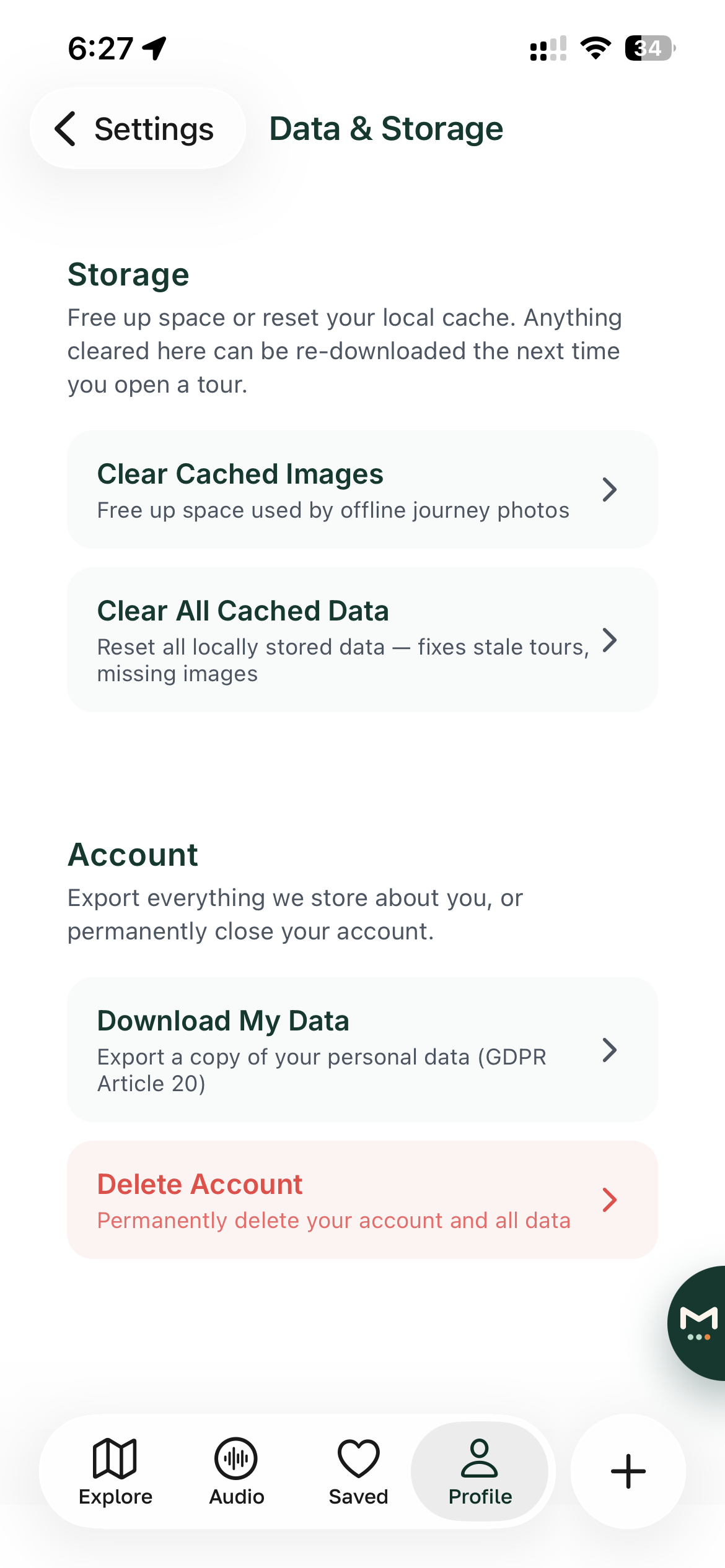
Go to Profile, then Settings, then Data and Storage. Everything on this page is in there.
Downloading your data
Tap Download My Data and Itineru gathers everything it stores about you, your profile, your itineraries, trips, saved places, expenses and visited countries, into a single file you can save or share. It is yours; take it wherever you like.
Clearing cached data
- Clear Cached Images frees up space on your phone. Images are downloaded again next time you need them.
- Clear All Cached Data resets everything Itineru is holding locally on your phone. Nothing in your account is touched; it is all re-downloaded next time you open an itinerary.
Neither of these signs you out or deletes anything from your account.
Deleting your account
Tap Delete Account and confirm. This permanently closes your account and removes your data from Itineru. It cannot be undone, so if there is anything you want to keep, use Download My Data first.
Two things deleting your account does not do by itself:
- It does not cancel a subscription. Cancel Itineru+ through your app store as well, or it will keep renewing. See Your plan and billing.
- It does not remove Itineru's sign-in entry from your Apple or Google account settings, if you used those. You can tidy that up in your Apple ID or Google account security settings.
Changing your email address
There is no in-app way to change the email on your account at the moment. Email support@itineru.app from your current address and we will help.
Privacy
What friends can see, your profile visibility, your visited countries, your travel activity, is controlled separately under Social and Privacy. See Settings, accessibility and privacy. The full privacy policy is at itineru.app/privacy.