Help Centre
Your plan and billing
The two plans
- Explorer is the free plan. Build itineraries by hand, and save a limited number of them.
- Itineru+ is the paid plan. It unlocks the AI-powered features: Discoveries, Road Trips, Quick Find, and the audio guides.
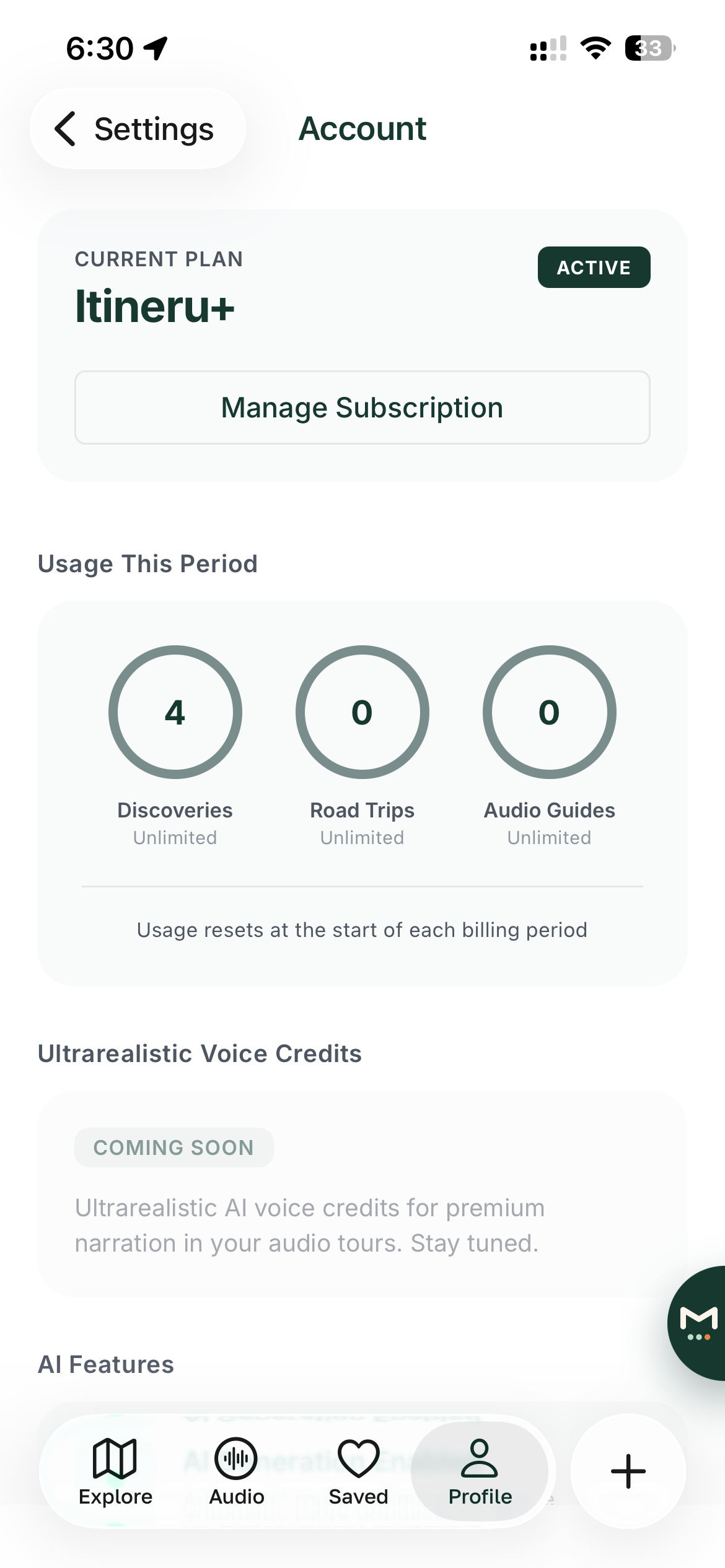
To see which plan you are on, what it includes, and how much of it you have used, go to Profile, then Settings, then Account, Plan and Billing.
Upgrading to Itineru+
Tap Upgrade to Premium on the Account, Plan and Billing screen, or tap any AI-powered feature and follow the prompt. The purchase itself goes through your app store account, Apple's App Store or Google Play, so payment works the way it always does on your phone, and Itineru never sees your card details.
Managing or cancelling your subscription
Subscriptions are managed by your app store, in the usual way:
- iPhone or iPad: Settings, then your name, then Subscriptions.
- Android: the Play Store app, then your profile picture, then Payments and subscriptions.
Cancelling stops the next renewal; Itineru+ keeps working until the end of the period you have already paid for. The Manage Subscription button on the Account, Plan and Billing screen takes you to the right place.
Restoring purchases
If you have Itineru+ but the app thinks you are on Explorer, perhaps after a new phone or a reinstall, open the subscription screen and tap Restore Purchases. Make sure you are signed in to the same app store account you originally purchased with.
Refunds
Because payment goes through the app store, refunds do too. Request them from Apple (reportaproblem.apple.com) or Google Play, not from Itineru. If you are stuck, email support@itineru.app and we will point you the right way.
What happens if you cancel
Nothing is deleted. Your itineraries, trips, saved places and Atlas all stay. You simply go back to the Explorer plan, so the AI-powered features are paused until you subscribe again.
Fair use on Itineru+
AI walking tours and road trips have no monthly cap. Maven and audio narration have a running cost per use, so they come with a fair-use allowance set well above what normal travel planning uses: 300 Maven conversation turns a month, and roughly four and a half hours of newly generated narration a month. Replaying narration you have already generated does not count.
Allowances reset on the first day of each month. If you reach one, that feature pauses until the reset and the app tells you so plainly, with the date. Everything else in Itineru+ keeps working. If you have hit an allowance through ordinary use, email support@itineru.app and we will sort it out.